
Practice job interviews out loud.
Rehearse for a role you want, answer follow-up questions based on what you say, and get specific feedback for your next attempt.
For the best experience, use desktop Chrome with English speech recognition and a microphone.
How it works
Prepare for a specific role
Choose your role, level, and interview type. Paste a job description to focus the questions on the skills and responsibilities in the posting.
Answer in your own words
Speak as you would in an interview. The interviewer can ask for an example, probe a decision you made, or ask what happened next.
Review your answers
Sign in after practice to view and save a written report with feedback, suggested improvements, and your transcript.
Hear the follow-up
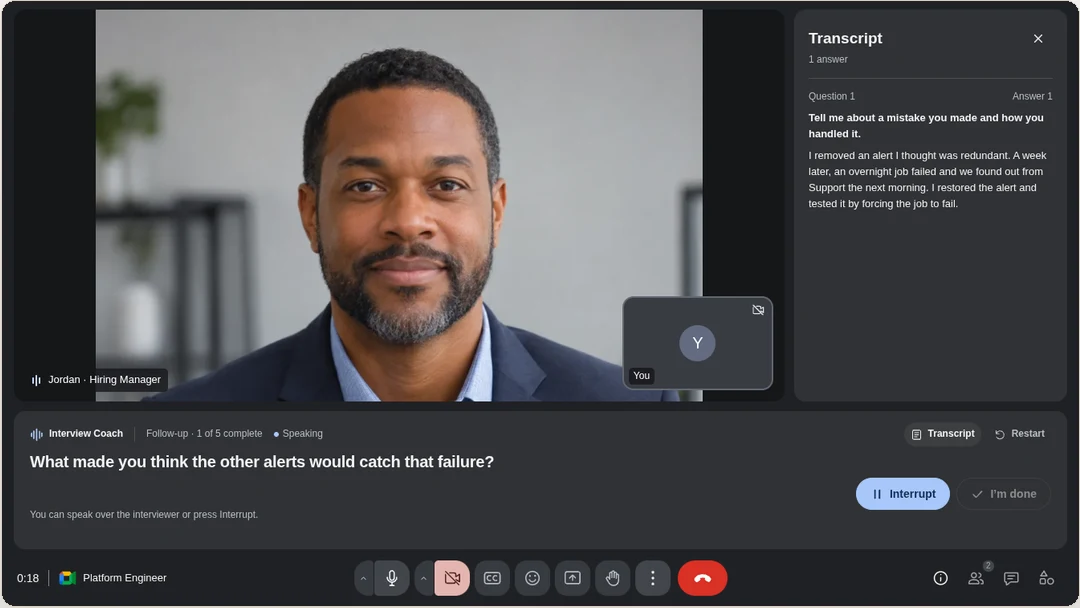
In this example, a candidate describes removing an alert they thought was redundant. When an overnight job fails, the team hears about it from Support the next morning.
“What made you think the other alerts would catch that failure?”
Jordan, the interviewer, asks about the reasoning behind the decision. The report then shows how to work that reasoning into the next rehearsal.
Know what to practice next
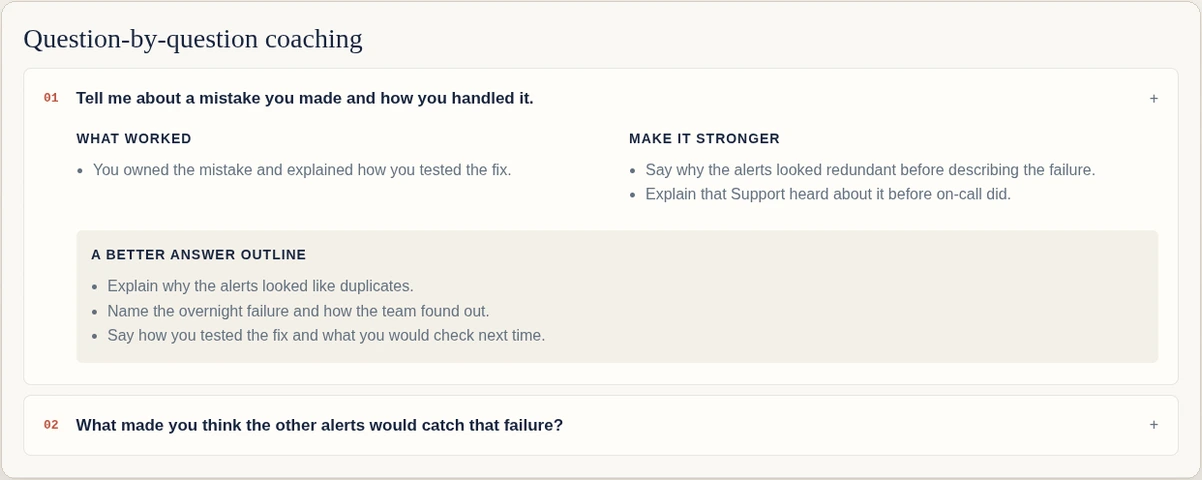
The coaching report looks at relevance, structure, specificity, and clarity. It highlights what worked, where an answer needs detail, and how you could structure it on your next attempt.
On-device voice and AI in the web app
Chrome transcribes your speech in English and uses Gemini Nano to generate questions and feedback on your device. Interview Coach saves no audio or video recordings. Chrome may need to download language and model files on your first visit.
When you open a completed report after signing in, the app sends the written report and transcript to its Cloud Run backend for account storage and emails you a summary.
Read the app’s privacy policyWhy we built it
Interviewing gets easier with practice. Finding someone to rehearse with can be hard, especially for students, recent graduates, and people changing careers after years in the same role.
We built Interview Coach as a free way to practice on your own for the Build for Good with Cloud Run challenge from Google Cloud Run and Product Hunt.
See the Product Hunt launchReady for a rehearsal?
Start your free practice session without signing in.