
Cost guide
How much does iOS app development cost in Vancouver?
The honest answer is that iOS app cost depends on scope, but useful ranges are possible once the product is framed correctly. A small Vancouver business app, a polished App Store MVP, and a multi-system product do not belong in the same estimate.
Useful cost ranges
A focused iOS MVP with a small number of screens, local data, basic content, and a simple release path can often be scoped in the low five figures. A business workflow app with authentication, cloud storage, admin handoff, camera capture, export, and testing usually moves into the mid five figures. A larger product with subscriptions, custom backend services, AI features, complex sync, multiple user roles, and ongoing iteration can move beyond that.
Those ranges are broad because the cost is not driven by the word app. It is driven by decisions. Does the app need accounts? Does it need to work offline? Does it need payment or subscriptions? Does it need OCR, speech, media processing, AI summaries, or a web dashboard? Does the business already have clean data? Does the App Store listing need screenshots, copy, privacy answers, and review support?
For Vancouver businesses, the highest ROI move is usually to pay for tight scope before paying for build time. A clearly scoped five-screen app is easier to estimate than a vague platform idea. 604Apps would normally turn the idea into a first-release map, then estimate based on the screens, data, integrations, and launch needs.
What makes an app more expensive
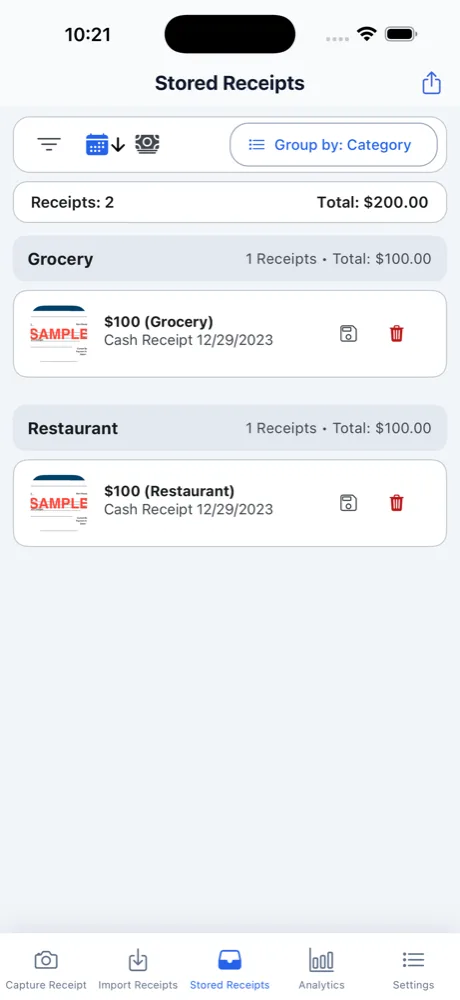
Camera and OCR features add cost because the app needs capture, image handling, recognition, review, correction, and storage. Receiptopia is a good example: receipt scanning is not only a camera screen. It includes extracting useful fields, handling bad photos, giving the user a correction path, and saving records in a way that remains useful later.
AI features add cost when they require prompt evaluation, safety checks, fallback behaviour, structured output, or device capability handling. Subscriptions add cost because StoreKit, App Store Connect setup, entitlement checks, renewal states, pricing, trials, and customer support scenarios all need attention. Offline features add cost because the app must store, merge, and recover data predictably.
Design polish also matters. A staff utility can be plain if it is fast and clear. A customer-facing app needs more care because trust is part of conversion. A Vancouver restaurant app, for example, should make ordering feel smooth and credible, while an internal checklist app should make repeated use fast.
How to reduce risk before spending
Start with the workflow, not the feature list. Write down the user, the trigger, the action, the data captured, and the result. If the result is not valuable, the feature is not ready. Then rank the first release by what must be true for the product to be useful.
Use existing app patterns as references. If the app needs reading and audio, look at Read Aloud or SpeechTrack: Live Voice Clone. If it needs OCR and records, look at Receiptopia or CJExplorer. If it needs media review on Mac, look at Video Twin Finder. References help convert abstract cost into actual screens and behaviours.
The best estimate comes after a short discovery pass. That discovery should produce a written scope, a page-by-page feature map, the technical risks, the asset needs, and the acceptance criteria for launch. It is much easier to control cost when everyone agrees what counts as v1.
What to prepare before contacting 604Apps
A useful first note does not need to be polished. For this topic, start with the business goal, the target users, the current workaround, and the result the app should create. For example, say whether the app is for customers, staff, or both; whether it needs iPhone, iPad, Mac, or all three; and whether the first release is meant for the public App Store or a private team workflow.
Include any screenshots, spreadsheets, forms, menus, receipts, scripts, training material, or existing tools that explain the workflow. 604Apps can use those materials to identify the screens, data model, risky features, launch path, and the smallest release that would be worth testing with real users. Notes about timeline, budget comfort, required integrations, and current pain points are also useful. The estimate is stronger when the conversation starts with real operating details instead of a broad feature wishlist.