
Offline AI
How to build offline AI apps on iPhone.
Offline AI is valuable when the app must work in the real world: basements, job sites, retail floors, classrooms, transit, kitchens, and places where the network is unreliable. The goal is not to avoid the cloud at all costs. The goal is to keep the core task useful without depending on a round trip to a server.
Start with the offline promise
An offline AI app needs a clear promise. Can the user capture data offline? Can they process it offline? Can they search, summarize, or generate offline? Can they review and save offline? Each answer changes the architecture.
A Vancouver field service app might need photo capture, OCR, job notes, and draft summaries while the user is away from reliable Wi-Fi. A classroom app might need reading support and speech without sending student content to a server. A retail staff tool might need product lookup and note capture during busy hours even if the connection is weak.
604Apps would define the offline boundary before choosing technology. Some features can be fully local. Some should queue for later sync. Some should clearly require a connection. Users trust apps that explain what is happening.
Useful on-device building blocks
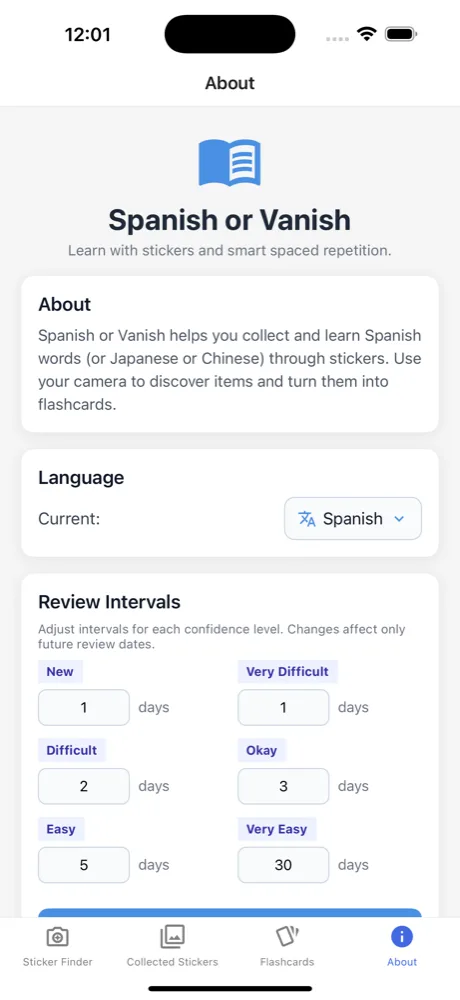
iPhone apps can combine local storage, Vision OCR, speech synthesis, audio processing, Foundation Models where available, Core ML models, and careful caching. Receiptopia shows the value of camera capture and review. CJExplorer and Spanish or Vanish show recognition-first interactions. SpeechTrack: Live Voice Clone and Read Aloud show audio and content workflows.
The hard part is not only calling a model. The hard part is designing state. What happens if recognition fails? Where does the draft live? Can the user correct it? Does the app mark which records are synced and which are local only? Can the user export data if sync is delayed?
Those details make offline AI feel dependable instead of experimental. A local model can still produce weak output, and a local database can still become confusing if the app does not explain status.
A first offline AI release
A good first release should keep the loop short: capture, process, review, save. For receipts, that could mean photo, OCR, extracted fields, correction, and local record. For notes, it could mean dictation or typing, summary draft, human edit, and export. For training, it could mean local content, playback, quiz generation, and progress.
Avoid making the first release depend on perfect automation. The app should reduce work even when the AI is only partly correct. Review screens, confidence hints, and edit paths are more important than a flashy generated response.
For Vancouver businesses, offline AI can be a strong differentiator because it respects privacy and real work conditions. It is especially useful for teams that move between customers, sites, classrooms, and storefronts.
What to prepare before contacting 604Apps
A useful first note does not need to be polished. For this topic, start with the business goal, the target users, the current workaround, and the result the app should create. For example, say whether the app is for customers, staff, or both; whether it needs iPhone, iPad, Mac, or all three; and whether the first release is meant for the public App Store or a private team workflow.
Include any screenshots, spreadsheets, forms, menus, receipts, scripts, training material, or existing tools that explain the workflow. 604Apps can use those materials to identify the screens, data model, risky features, launch path, and the smallest release that would be worth testing with real users. Notes about timeline, budget comfort, required integrations, and current pain points are also useful. The estimate is stronger when the conversation starts with real operating details instead of a broad feature wishlist.