
Privacy-first AI
Building privacy-first AI apps on Apple devices.
Privacy-first AI is not a tagline. It is a set of product decisions: collect less data, process locally where possible, explain what leaves the device, let users review AI output, and keep sensitive workflows understandable.
Why Apple devices are a strong fit
Apple platforms offer useful local capabilities: Vision OCR, speech, audio processing, local databases, Core ML, and Foundation Models on supported Apple Intelligence devices. These tools let many apps perform useful work before sending anything to a server.
That matters for Vancouver businesses that handle invoices, client notes, training content, customer records, or internal operating data. A privacy-first app can reduce exposure by keeping capture, recognition, drafts, and review on the device whenever the workflow allows it.
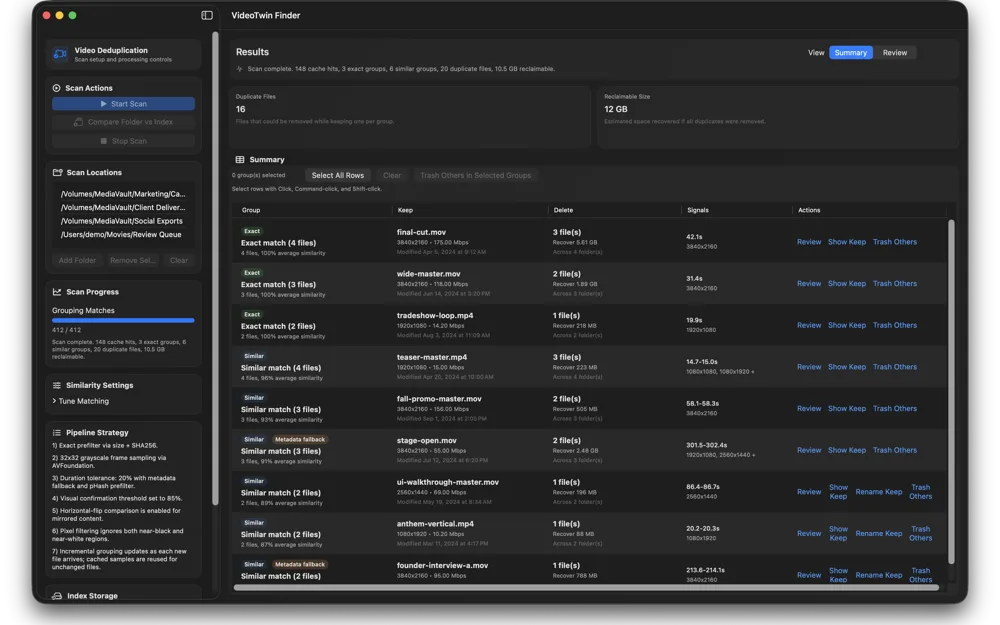
Video Twin Finder is a useful example of local analysis: media files can be scanned and reviewed on a Mac without building a cloud upload workflow. Receiptopia and CJExplorer show similar privacy advantages for camera and OCR features on mobile.
Design rules for private AI features
First, minimize data. Do not collect data only because it might be useful later. Second, process locally when the local result is good enough. Third, make cloud use explicit when it is required. Fourth, let the user review generated or extracted output before it becomes a record.
A privacy-first app should also make deletion, export, and account state clear. If the app stores local records, users should understand where those records live. If the app syncs, users should understand what syncs. If the app uses AI, users should understand whether the processing is local or server-based.
These decisions are product features. They affect trust and conversion, especially for professional apps where the user is handling customer, student, patient-adjacent, financial, or operational information.
A practical Vancouver business example
Imagine a Vancouver contractor app that captures job photos, scans receipts, summarizes site notes, and prepares a completion report. A privacy-first version would keep drafts local, run OCR on device, allow the technician to edit the summary, and sync only the final approved record when needed.
A training app could keep lessons and AI practice prompts on device, avoid collecting unnecessary student data, and export progress only when the user chooses. A restaurant operations app could summarize shift notes locally and save only the final edited version to a shared system.
604Apps would build privacy into the scope: data map, local processing choices, clear consent points, review screens, deletion behaviour, and App Store privacy answers. That is how privacy becomes part of the app, not a paragraph added at launch.
What to prepare before contacting 604Apps
A useful first note does not need to be polished. For this topic, start with the business goal, the target users, the current workaround, and the result the app should create. For example, say whether the app is for customers, staff, or both; whether it needs iPhone, iPad, Mac, or all three; and whether the first release is meant for the public App Store or a private team workflow.
Include any screenshots, spreadsheets, forms, menus, receipts, scripts, training material, or existing tools that explain the workflow. 604Apps can use those materials to identify the screens, data model, risky features, launch path, and the smallest release that would be worth testing with real users. Notes about timeline, budget comfort, required integrations, and current pain points are also useful. The estimate is stronger when the conversation starts with real operating details instead of a broad feature wishlist.