
Swift iOS developer Vancouver
Swift and SwiftUI development for focused Apple platform apps.
604Apps builds native Apple platform apps with Swift, SwiftUI, and platform frameworks where they are the best fit. For Vancouver teams, that usually means a product that needs speed, camera features, audio, subscriptions, offline behaviour, Mac support, or a polished iPhone and iPad experience.
What Swift is good at
Swift is a strong choice when the product depends on the Apple platform instead of only needing a generic web form in an app wrapper. A native app can use platform navigation, system typography, accessibility, StoreKit subscriptions, camera APIs, speech, Vision OCR, local storage, widgets, and Mac or iPad layouts without fighting the platform.
For a Vancouver business, this matters when the app becomes a tool people use repeatedly. Staff should not feel like they are waiting on a slow form while standing in a store, on a job site, or at a counter. Customers should not feel like the checkout, booking, or media experience is a fragile webpage pretending to be an app.
604Apps keeps the first version focused. Native does not mean expensive by default. It means choosing Apple platform tools when they reduce risk or improve the experience. A simple Swift app with five excellent screens can be more valuable than a cross-platform build with fifteen screens nobody trusts.
Examples from existing app patterns
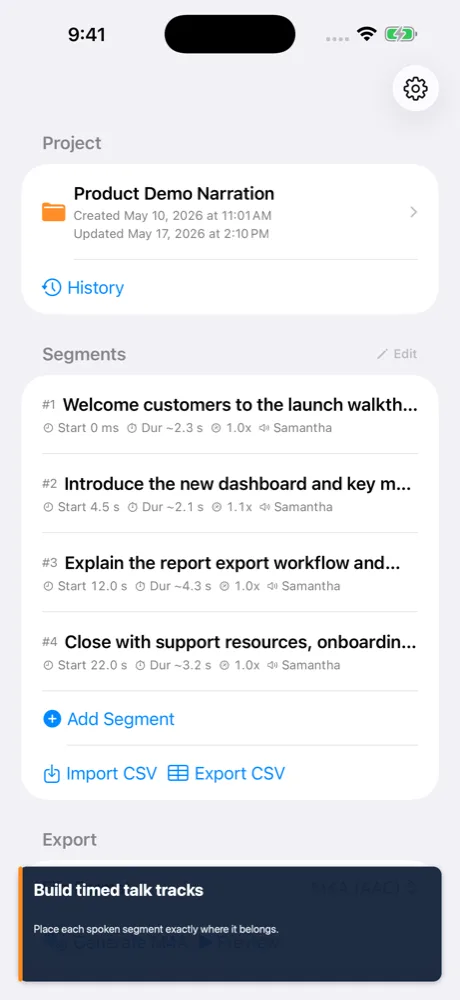
SpeechTrack: Live Voice Clone is a useful reference for Swift-style product work: it has timeline editing, local voices, project files, previews, and export. Video Twin Finder shows a Mac productivity workflow with file analysis, review, and cleanup. Receiptopia shows camera capture and structured data. Read Aloud shows long-form reading with playback and notes.
Those examples map to business use cases. A service company may need project files and exports. A restaurant group may need repeatable staff workflows. A school or community organization may need content playback and accessibility. A shop may need camera capture, lookup, and customer records.
The point is not to reuse an app directly. The point is to reuse proven interaction patterns: capture, review, edit, export, listen, scan, summarize, and sync. Swift and SwiftUI are good at making those workflows feel coherent across iPhone, iPad, and Mac.
How a Swift engagement should be scoped
A scoped Swift project should define device targets, minimum OS version, launch channel, core screens, data model, integrations, offline requirements, and App Store needs before development begins. That prevents a common failure mode: building beautiful UI without knowing how the product will store data, recover from errors, or launch.
For Vancouver clients, 604Apps would normally start with a small discovery pass, then produce a build plan for the first useful release. That plan should identify the highest-risk technical pieces early. If OCR is central, test OCR early. If subscriptions are central, set up StoreKit early. If offline sync is central, design the data model before the UI gets too far ahead.
The end result should be a maintainable native app, not a fragile prototype. Swift is a good fit when the product is expected to stay alive, receive updates, and feel credible to customers or staff.
What to prepare before contacting 604Apps
A useful first note does not need to be polished. For this topic, start with the business goal, the target users, the current workaround, and the result the app should create. For example, say whether the app is for customers, staff, or both; whether it needs iPhone, iPad, Mac, or all three; and whether the first release is meant for the public App Store or a private team workflow.
Include any screenshots, spreadsheets, forms, menus, receipts, scripts, training material, or existing tools that explain the workflow. 604Apps can use those materials to identify the screens, data model, risky features, launch path, and the smallest release that would be worth testing with real users. Notes about timeline, budget comfort, required integrations, and current pain points are also useful. The estimate is stronger when the conversation starts with real operating details instead of a broad feature wishlist.