
How duplicate video detection works on Mac.
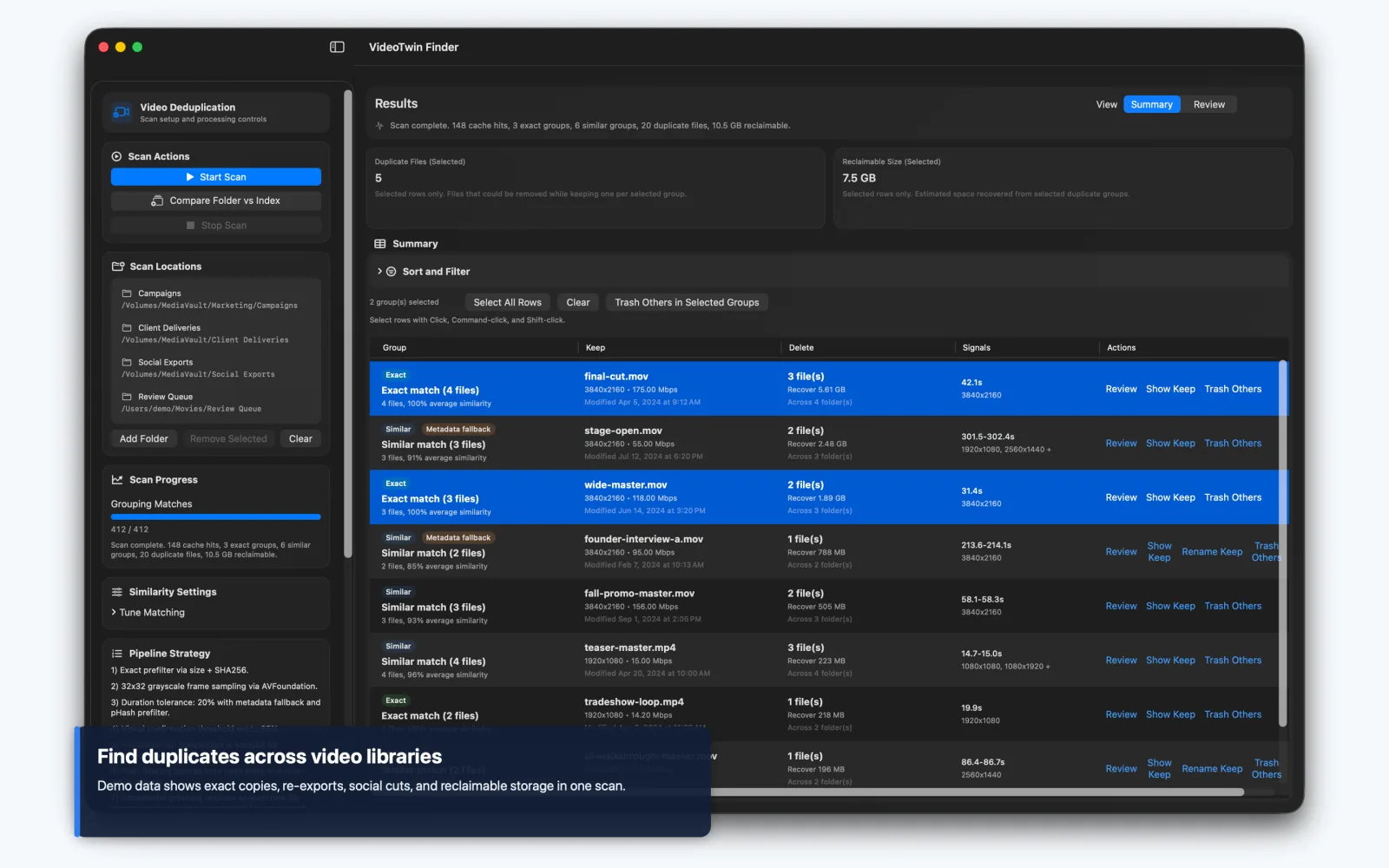
Duplicate videos are rarely just files with the same name. A useful finder separates byte-identical copies from re-encoded or slightly altered clips, narrows expensive comparisons, and gives the user enough context to make a safe keep-or-remove decision.
Start with the two meanings of “duplicate”
An exact duplicate is the same sequence of bytes. It may have a different filename or live on another drive, but a cryptographic hash such as SHA-256 will match. Exact matching is reliable and relatively cheap once file sizes have narrowed the candidates.
A visual duplicate is more ambiguous. The same recording may have been transcoded, resized, recompressed, trimmed slightly, mirrored, or exported with different audio and metadata. Its hash will change even if a person considers it the same clip. Finding those copies requires a similarity pipeline and a product decision about how close is close enough.
Use a staged matching pipeline
Comparing every frame of every video with every other video would be prohibitively slow for a large library. A staged pipeline reduces the search space. File size and exact hashes handle identical copies. Duration and basic media properties remove implausible pairs. Representative frames are decoded, normalized to small grayscale samples, and compared. Perceptual hashes can provide another inexpensive prefilter before detailed scoring.
VideoTwin Finder uses this kind of native Swift pipeline. It combines file-size and SHA-256 exact matching with duration-aware candidate pruning, 32-by-32 grayscale frame samples, perceptual-hash support, optional horizontal-flip comparison, and cached results for unchanged files. The important point is not one magic threshold; it is the sequence of increasingly expensive tests.
A score should help prioritize likely matches, not quietly authorize deletion. Re-encodes, repeated scenes, title cards, and short clips can produce misleading similarity without enough context.
Explain why files were grouped
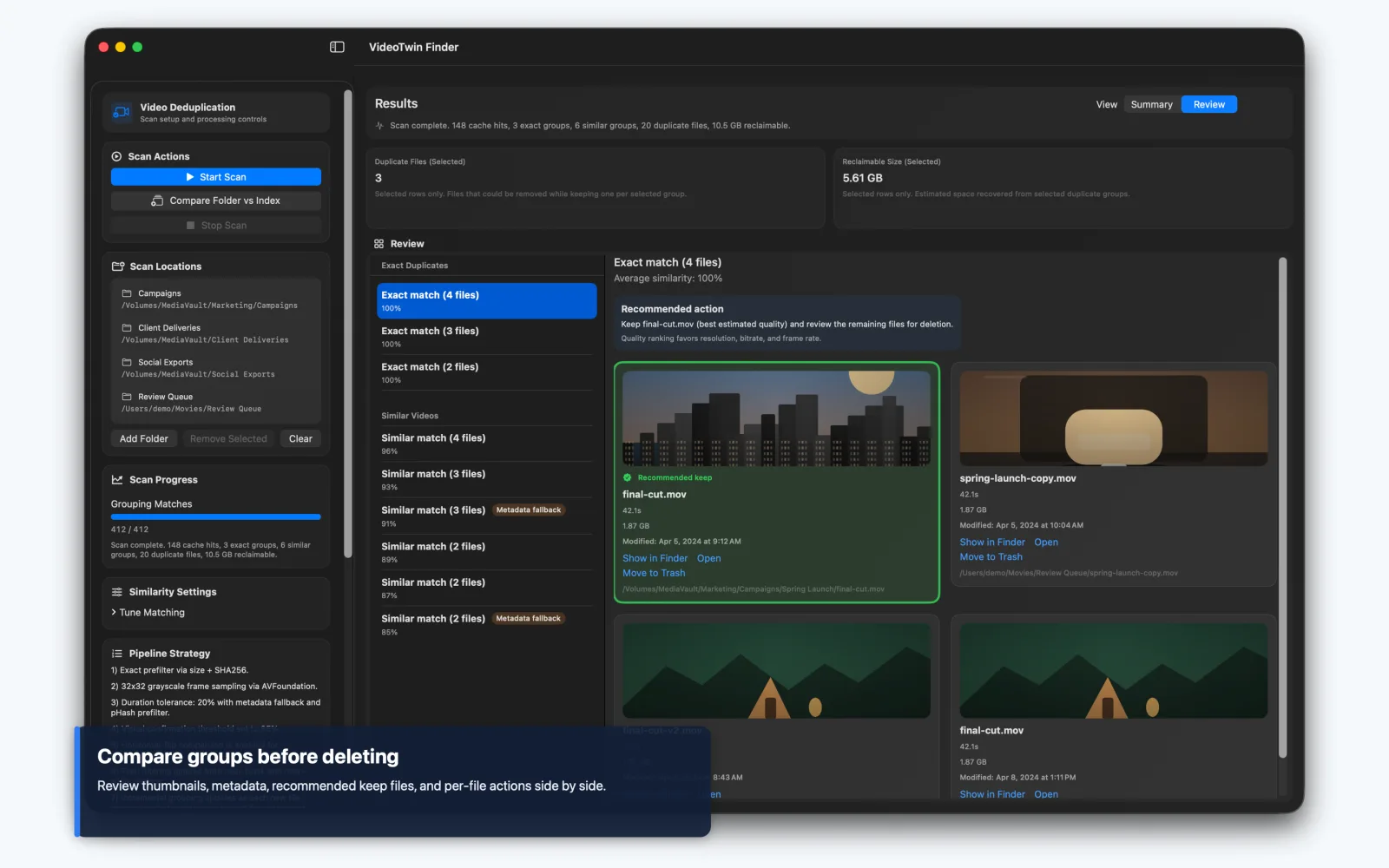
A result is easier to trust when the interface distinguishes exact matches from visual matches and shows the useful differences: location, filename, size, duration, modified date, codec, bitrate, resolution, and availability. A keep recommendation can highlight a likely best version, but the evidence should remain visible.
Grouping matters because cleanup happens at the relationship level. The user is not deleting an abstract “duplicate”; they are choosing one or more files from a set. Reclaimable space, copy count, and source-folder filters help prioritize the groups worth reviewing first without hiding the lower-confidence cases.
Make indexes work across external drives
Video collections often span drives that are not always connected. A persistent index lets the app remember hashes, metadata, frame samples, and previews so it can compare an incoming folder against a known library without reopening every source. Offline records should stay visibly offline rather than vanish from the comparison set.
That creates a useful workflow: index the long-term collection once, then test a camera card, download folder, or new export against the saved library. The user can discover that a file already exists on an offline archive drive before making another permanent copy.
Keep destructive actions narrow and reversible
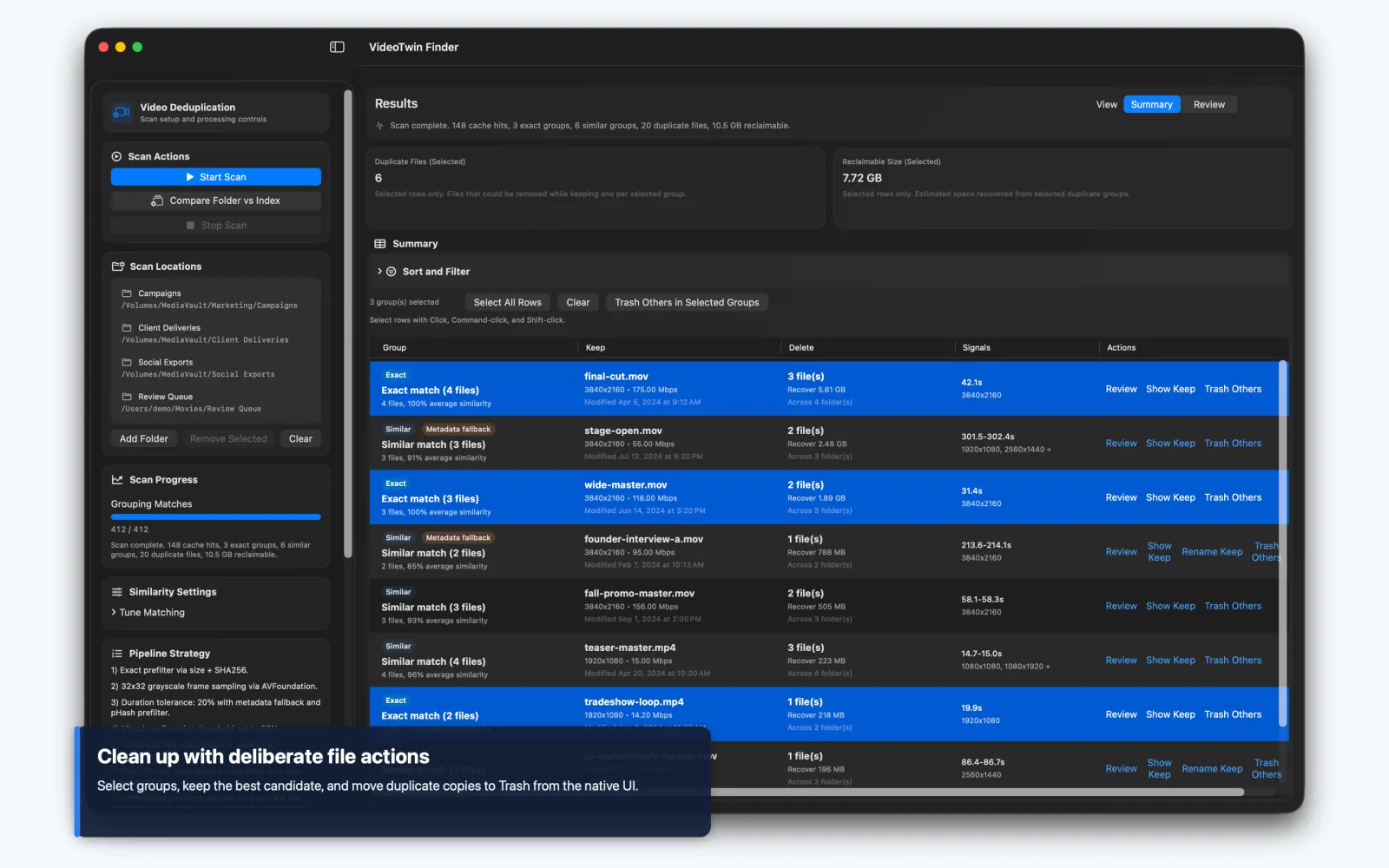
A safe Mac app should use the system Trash instead of permanent deletion, operate only on explicitly selected files, and update its index after the file action succeeds. Reveal in Finder and Open are valuable non-destructive alternatives. Renaming the keep file can make the final library clearer without requiring the app to reorganize everything.
Index cleanup and media cleanup are different operations. Removing a stale record should never delete a source video, and forgetting a scan root should not imply deleting files from that folder. Clear language around those boundaries is part of the product’s safety model.
What to define before building a duplicate finder
Choose representative media that includes exact copies, re-encodes, resolution changes, trims, mirrored clips, common intros, and genuinely different videos from the same scene. Decide which false positive is tolerable, which comparisons may run in the background, and whether users can change the similarity threshold.
Also define library scale, external-drive behaviour, cache location and cleanup, supported formats, file actions, and the evidence shown before Trash. Matching accuracy and review design have to be evaluated together; a strong algorithm with a weak decision screen is still a risky cleanup product.